The Hidden Cost of Digital Clutter: Why Your iPhone Needs Sift
Our camera rolls have become the 'junk drawers' of our digital lives. Discover why Sift is the essential AI tool for organizing screenshots, clearing clutter, and finding exactly what you need in seconds.
On this page4 sections
The Hidden Cost of Digital Clutter: Why Your iPhone Needs Sift
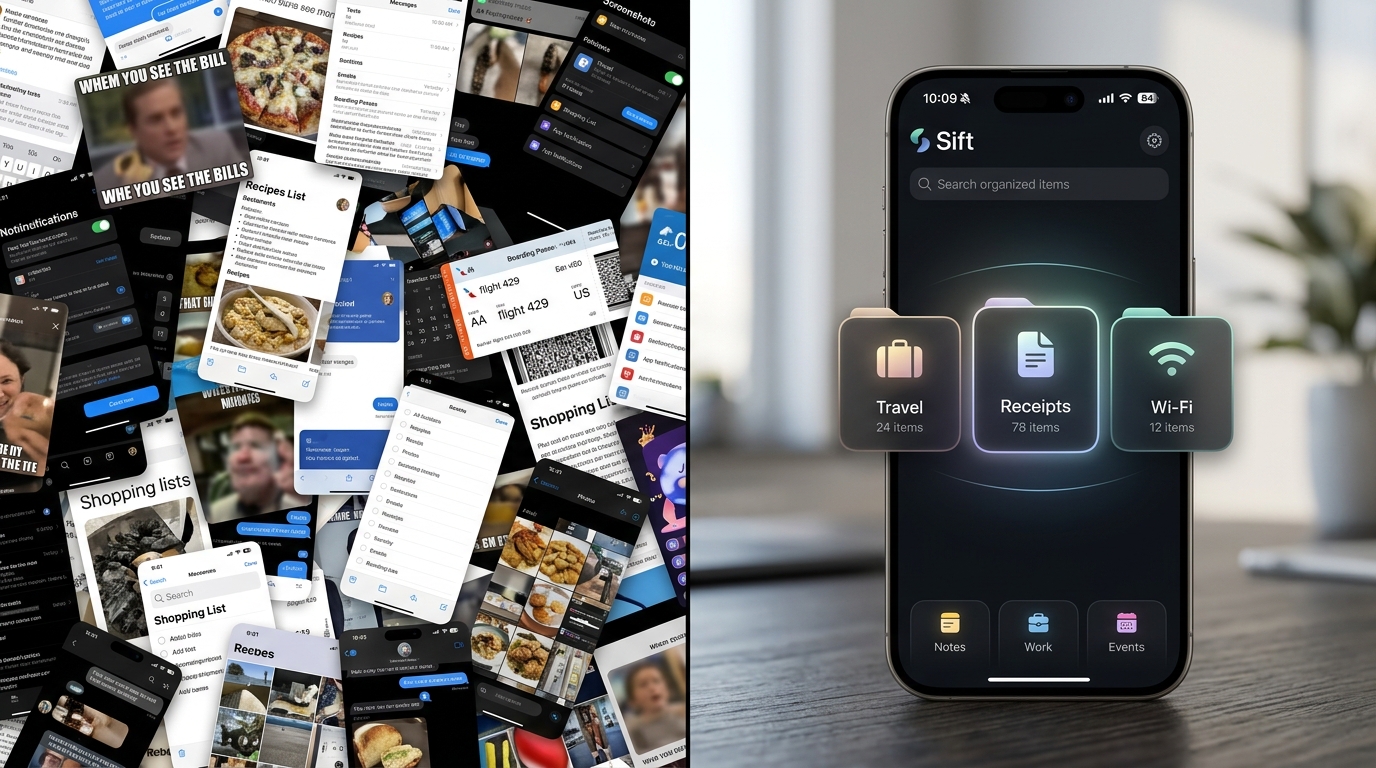
Think about the last time you took a screenshot. Was it a concert ticket? A Wi-Fi password at a friend's house? An expense receipt you needed to reimburse? We take screenshots because it is the fastest way to save information. But saving isn't the problem—finding it later is.
Our camera rolls have become the "junk drawers" of our digital lives. When you actually need that boarding pass at the airport, you find yourself frantically scrolling through hundreds of photos, feeling a spike of anxiety as the line moves forward. This is why Sift isn't just a utility app—it is an essential tool for digital peace of mind.
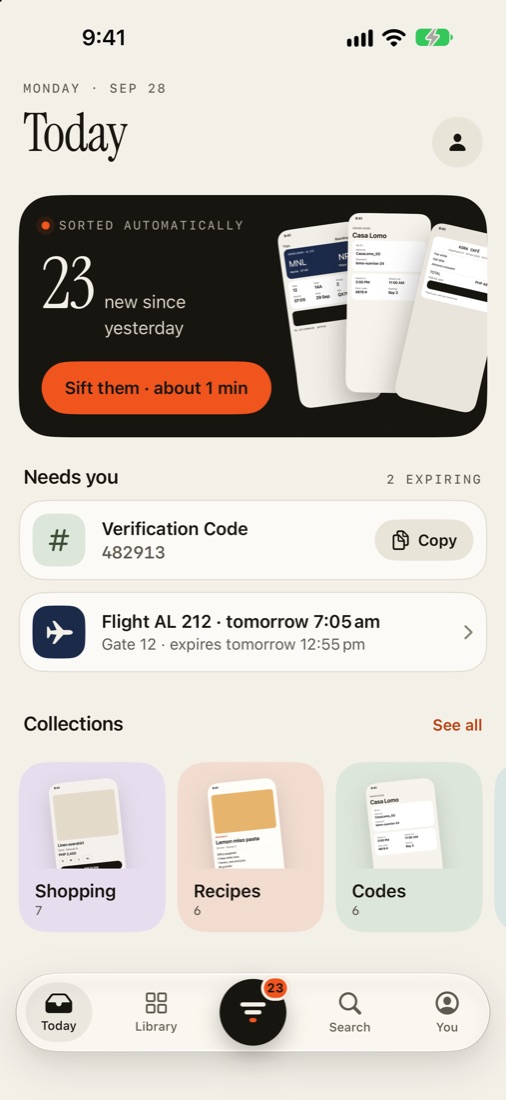
Sift turns your screenshot chaos into an organized, actionable inbox.
🧠 The Mental Load of "I know it's in here somewhere"
Digital clutter carries a real psychological weight. Every time you open your Photos app and see thousands of unorganized screenshots, your brain registers it as an unfinished task. Sift completely eliminates this mental load by doing the filing for you. It uses on-device AI to instantly recognize what a screenshot is and files it into one of ten smart collections (like Trips, Receipts, and Recipes).
⏱️ Stop Scrolling. Start Searching.
If you've ever tried searching for a screenshot in Apple's native Photos app, you know it can be hit or miss. Sift makes your screenshots searchable by the things you actually remember. Need the Wi-Fi code for the Airbnb? Just search "wifi at the airbnb". Looking for a receipt from last week? Type "receipt last week".
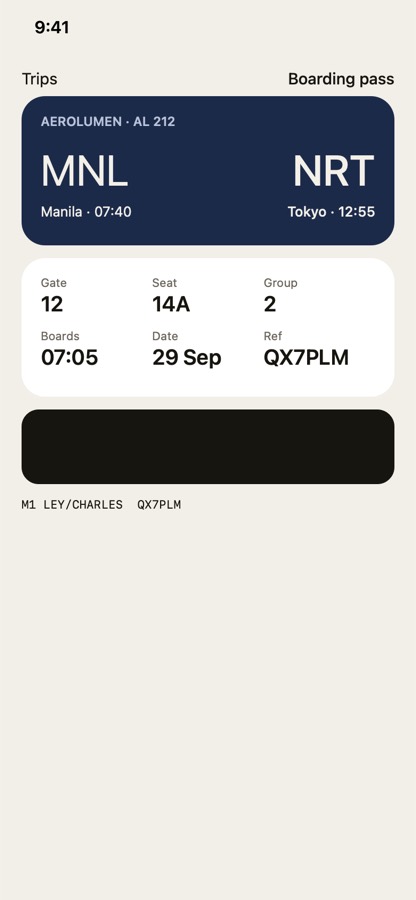
Sift doesn't just show you the image—it pulls out the exact text you need. It highlights the total on the receipt, the code for the Wi-Fi, and the gate for your flight, letting you copy them with a single tap.
🔒 Pure Privacy: What Happens on Your Phone, Stays on Your Phone
Because screenshots contain our most sensitive information—bank balances, private conversations, addresses, and passwords—privacy isn't a luxury; it's a necessity. Sift was built with a zero-server architecture.
Using Apple's Vision framework, all the AI text recognition and sorting happens locally on your device. Your pixels and personal data never touch the cloud.
🚀 Essential for the Modern iPhone User
Your iPhone is a powerful tool, but until now, managing screenshots has been a manual, frustrating chore. Sift bridges the gap, turning your screenshots from useless clutter into an intelligent, searchable database.
Comments
Loading…