Youtugtog: Search, Queue, and Play YouTube Music
Search YouTube, play links instantly, organize playlists, manage your queue, and switch between audio and video with Youtugtog.
On this page15 sections
Playing music through YouTube should be simple. But opening multiple tabs, searching for songs, arranging what plays next, and managing playlists can quickly become frustrating.
Youtugtog gives you a cleaner and more convenient way to enjoy YouTube audio and video—all in one place.
Search for a song, paste a YouTube link, play it instantly, add it to your queue, or save it to a playlist without jumping between different apps and browser tabs.
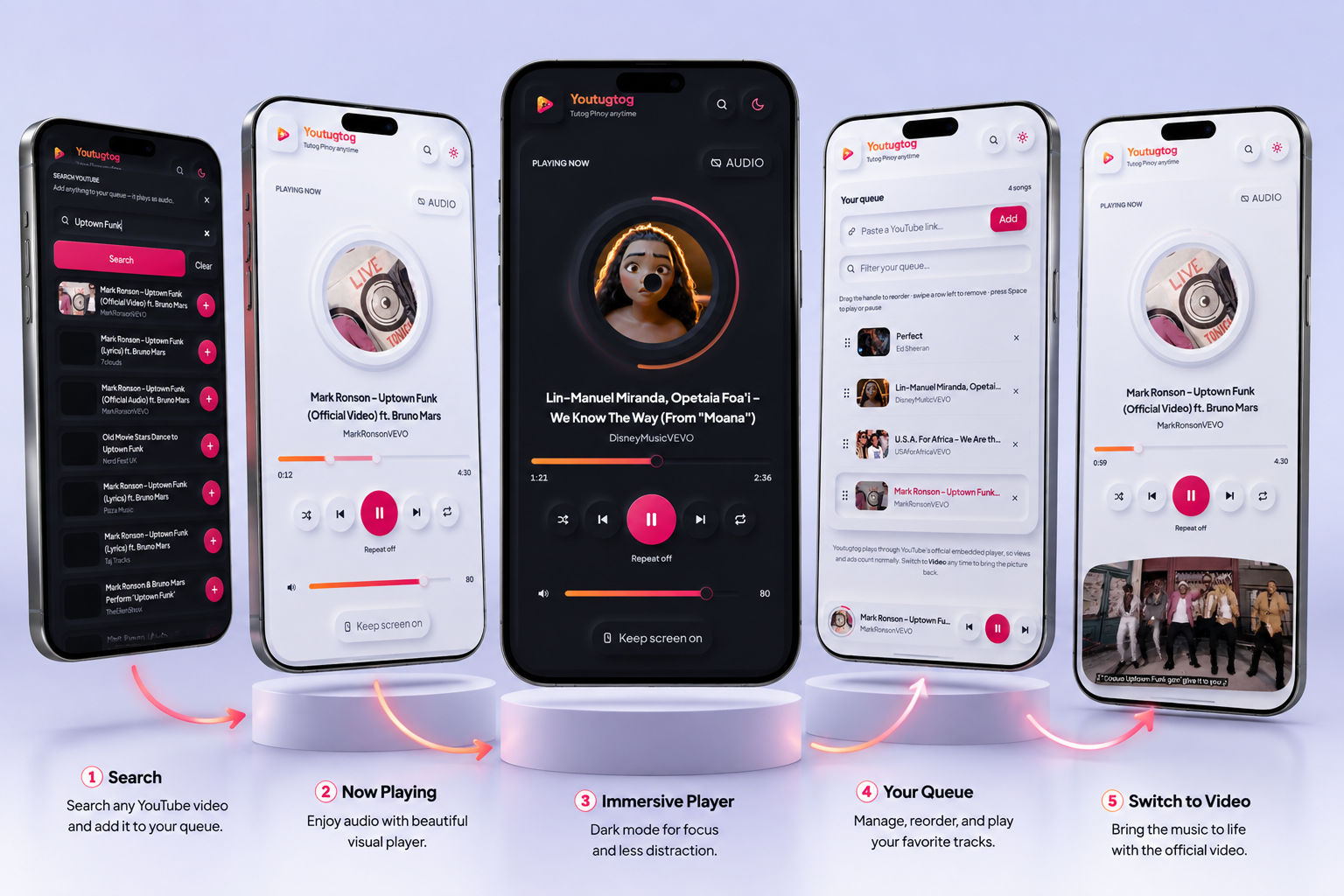
See Youtugtog in Action
Screenshot 1: The Main Player
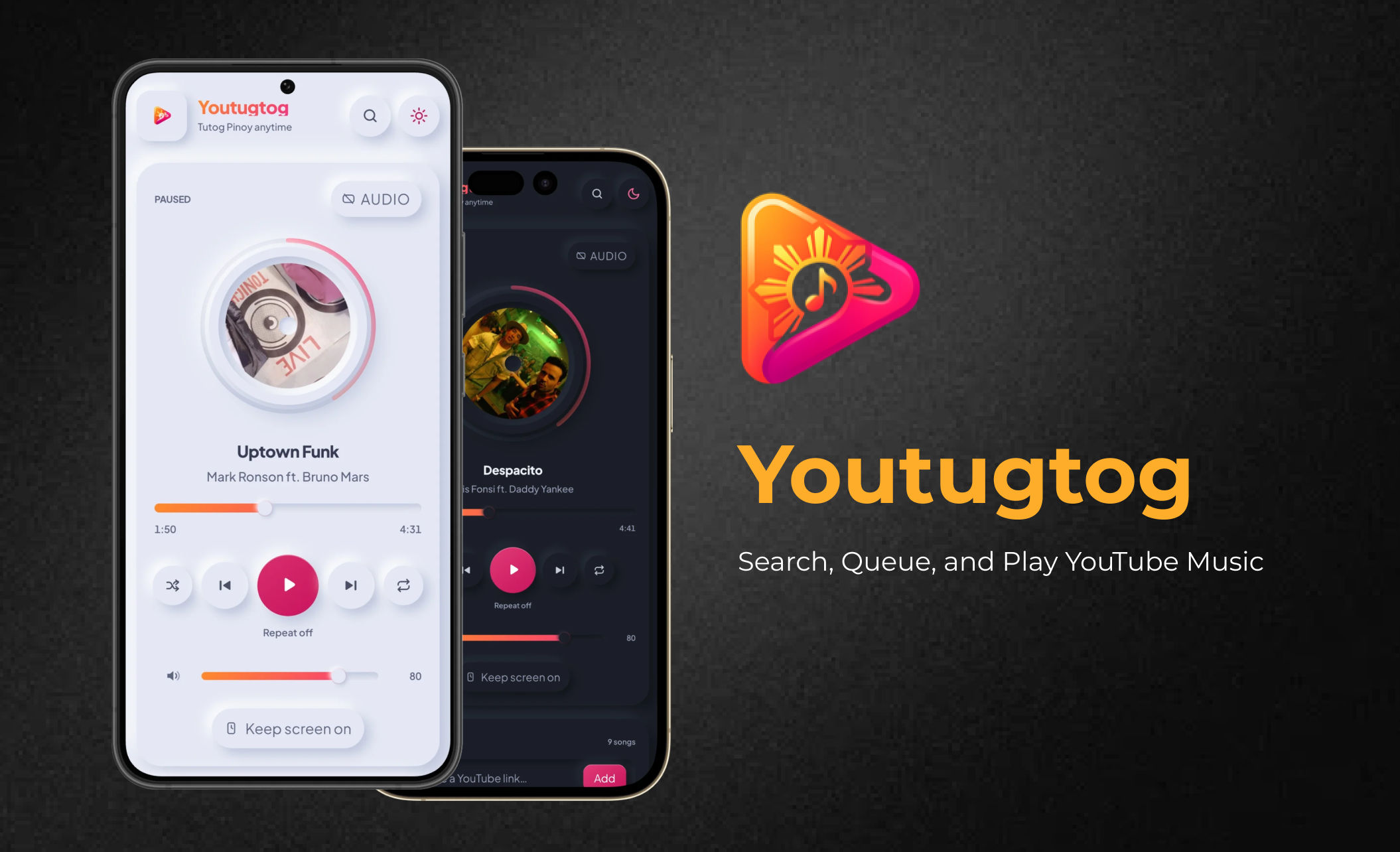
Youtugtog’s simple interface keeps your search, player, playlists, and queue within easy reach.
Search and Play in Seconds
Type the song title, artist, or keyword into the search bar. Select a result and start listening without manually opening several YouTube pages.
Already have a YouTube link? Paste it into Youtugtog and play it directly.
Screenshot 2: Search Results
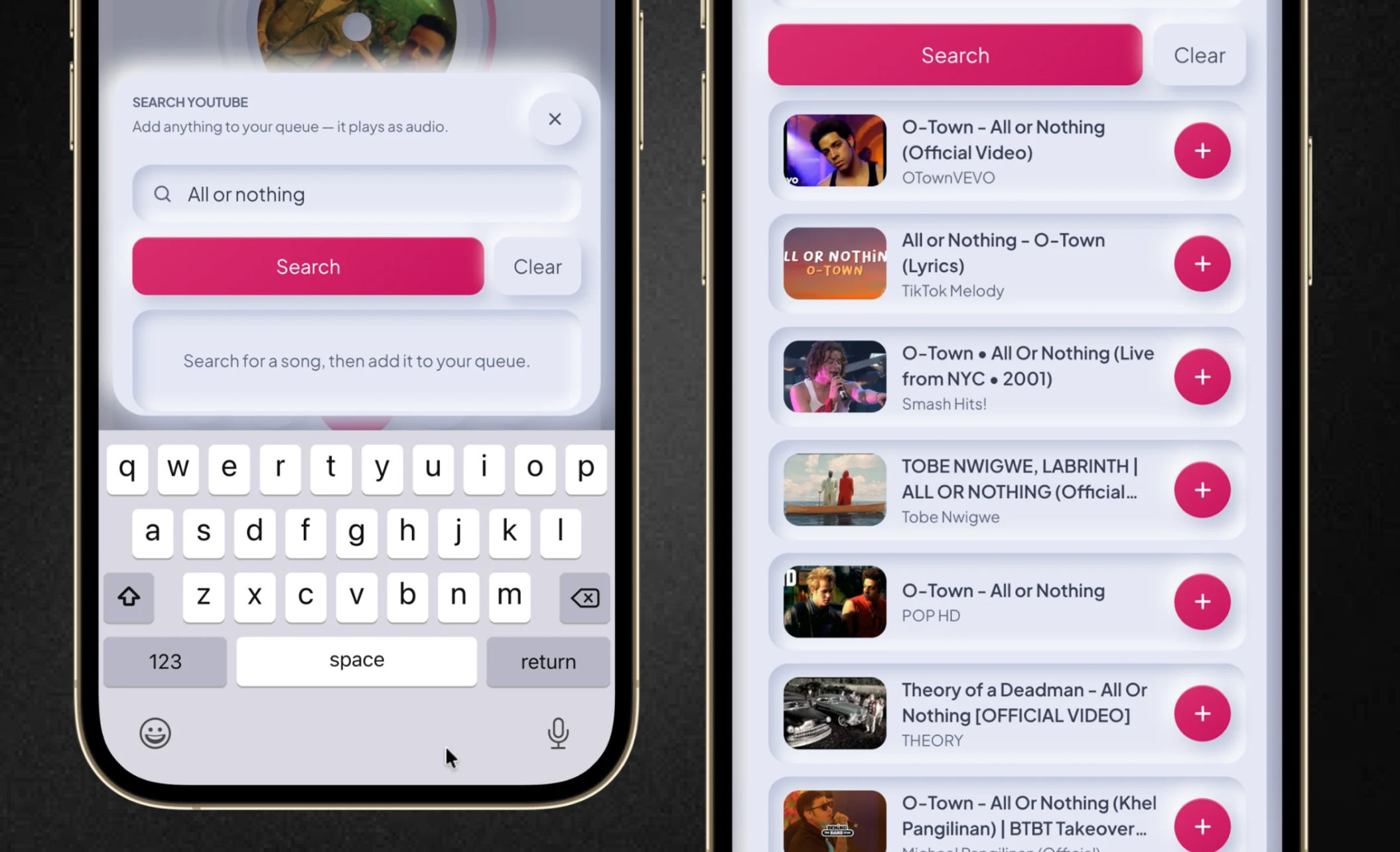
Search YouTube directly and find the song or video you want to play.
For the best result, search for a familiar song before taking the screenshot. Make sure the search field and results are clearly visible.
Build Your Queue Without the Clutter
Found several songs you want to hear? Add them to your queue instead of opening each one in a separate tab.
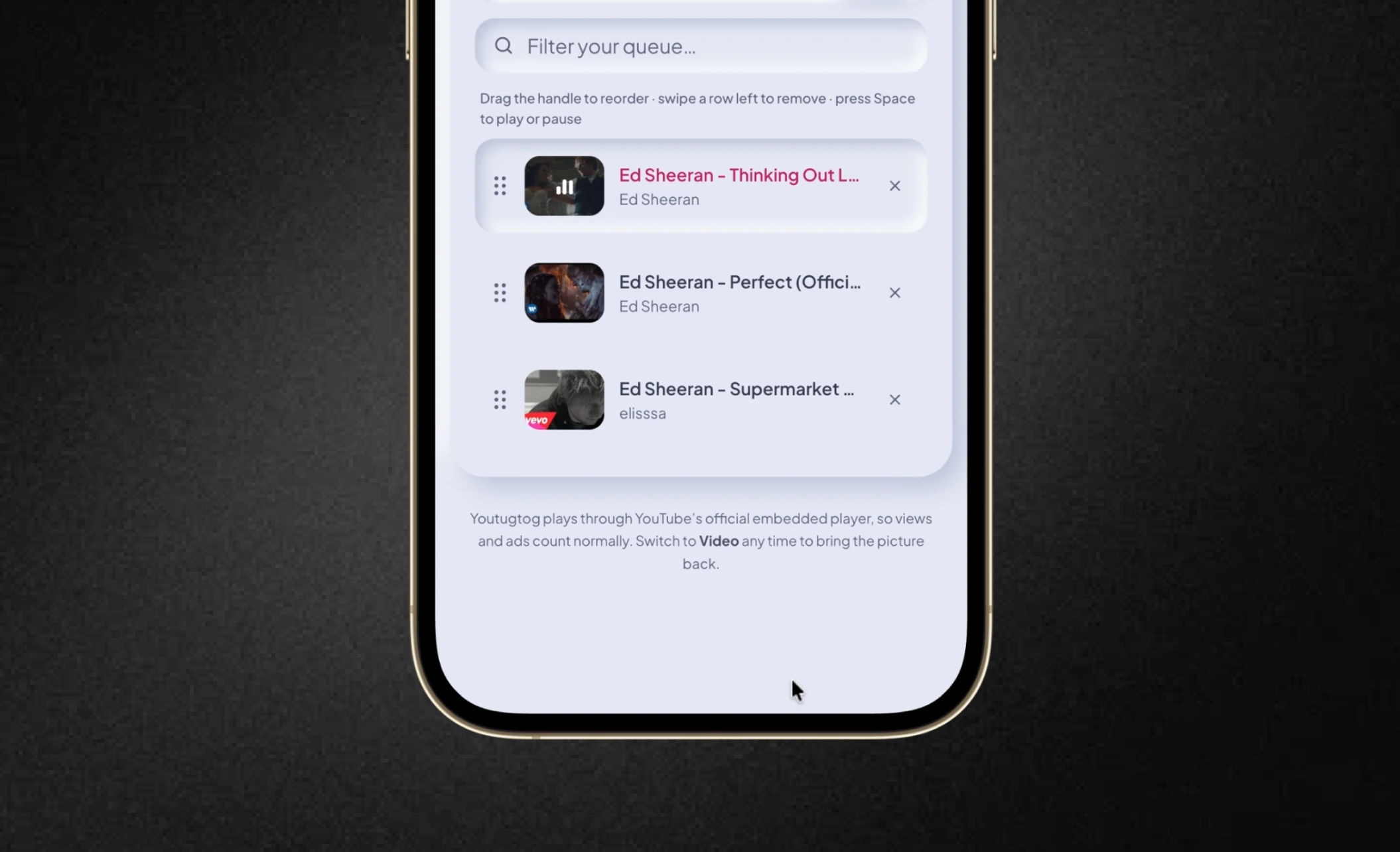
You can also rearrange the list whenever you want. Move your favorite song to the top, change the order, or prepare your entire listening session in advance.
Screenshot 3: Song Queue
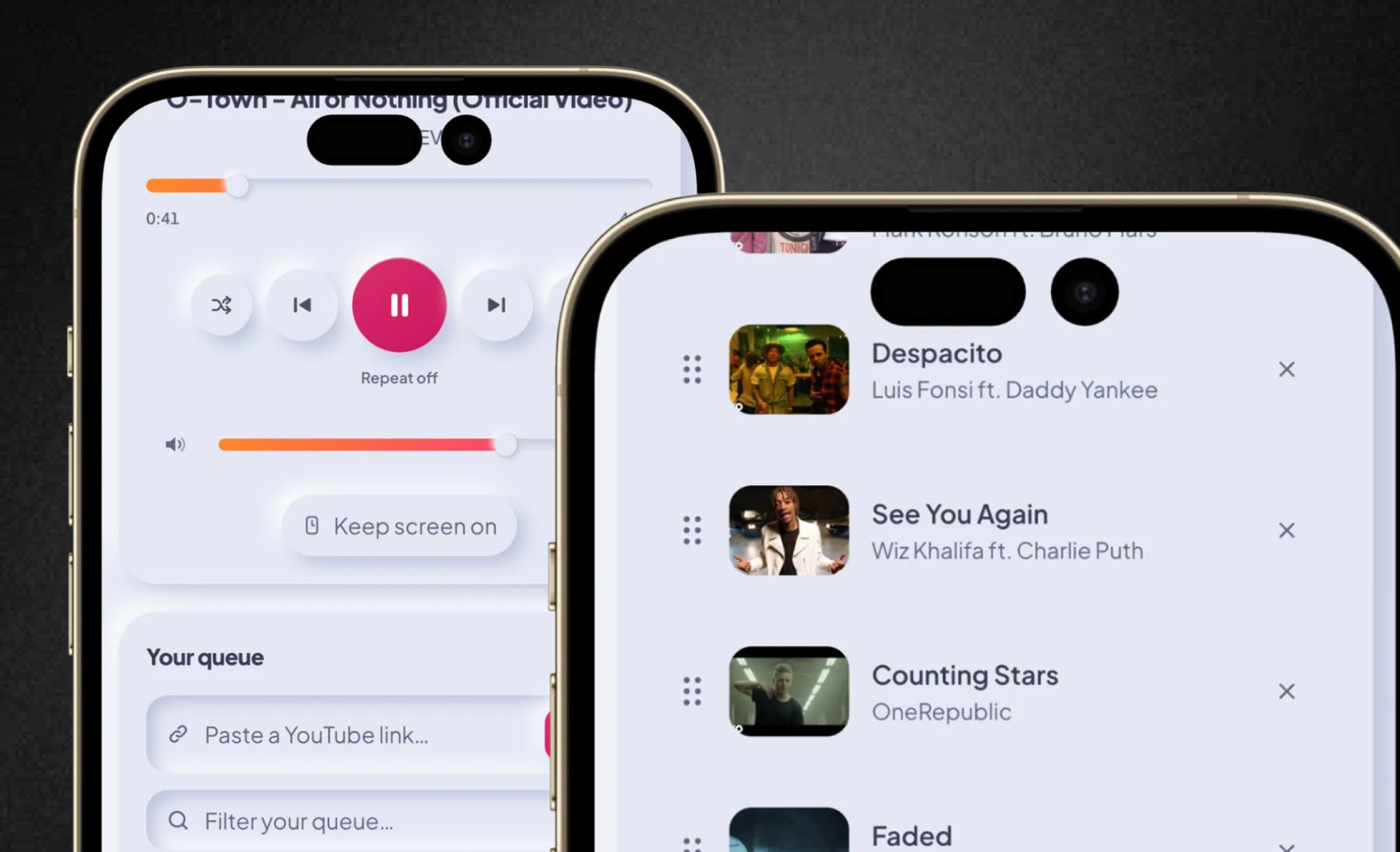
Add songs to your queue and arrange exactly what plays next.
Show at least three songs in the queue. This makes the reordering feature easier for readers to understand.
Save Songs Into Organized Playlists
Create separate playlists for different activities, moods, or occasions. When you discover a song you like, save it to the appropriate playlist in just a few taps.
You could create playlists such as:
Focus at Work
Study Session
Morning Motivation
Workout Energy
Weekend Party
Relaxing at Home
Screenshot 4: Playlist Collection
Keep your favorite music organized with playlists for every mood and activity.
Use playlist names that demonstrate real-life situations rather than generic names such as “Playlist 1.”
Switch Between Audio and Video
Want a cleaner listening experience while working? Use audio mode.
Want to watch the official music video, live performance, or visual content? Switch to video mode.
Youtugtog lets you choose the experience that fits the moment.
Screenshot 5: Audio and Video Modes
[PLACE AUDIO-AND-VIDEO COMPARISON HERE]
Suggested caption: Listen in audio mode or switch to video whenever you want the full visual experience.
You can place two screenshots side by side: one showing audio mode and another showing video mode.
How People Use Youtugtog
Focus Music for Work
Create a playlist for deep work, background music, or relaxing instrumentals. Add new songs without opening multiple tabs and rearrange the queue as your mood changes.
When direct YouTube access is limited at work, Youtugtog may provide a more focused listening experience wherever playback is permitted under your company’s network and technology policies.
Suggested image: The app playing a focus or instrumental playlist beside a laptop or workspace.
Study Sessions
Build playlists for reading, reviewing, or exam preparation. Search for lo-fi music, classical tracks, white noise, or instrumental playlists and keep everything inside one organized queue.
Suggested image: A “Study Session” playlist containing several relaxing tracks.
Workouts
Prepare your music before exercising. Add energetic tracks, move your favorite song to the top, and keep the next song ready without interrupting your routine.
Suggested image: A workout playlist with upbeat songs arranged in the queue.
Parties and Group Listening
Let friends suggest songs by searching for them or sharing YouTube links. Add every request to one queue and change the order without stopping the current track.
Suggested image: A party queue containing music from different artists or genres.
Everyday Listening
Found a song you like? Play it immediately and save it to a playlist for later. There is no need to keep multiple browser tabs open or repeatedly search for the same song.
Suggested image: A song playing with the queue and playlist controls visible.
Why You’ll Love Youtugtog
🔎 Search YouTube directly
⚡ Play YouTube links instantly
➕ Add songs to playlists quickly
🔀 Rearrange your queue anytime
🎬 Switch between audio and video
📚 Organize music for work, study, workouts, or parties
🧹 Reduce unnecessary tabs and screen clutter
Start Listening Your Way
Whether you are working, studying, exercising, relaxing, or hosting a party, Youtugtog helps you spend less time managing music and more time enjoying it.
Less searching. Less clutter. More music.
Discover Youtugtog—your smarter YouTube companion.
Try Youtugtog today and build your first queue: https://youtugtog.vercel.app/
Download the Android app here: https://drive.google.com/file/d/1-QupKWLNs_PUbRtIDXv2vgLEulGFUhEy/view?usp=sharing
To install an APK on any Android phone, grant permission to install unknown apps for your browser or file manager.
Quick Install Steps:
Open the downloaded APK file.
Tap Settings on the security pop-up.
Toggle Allow from this source to On.
Tap Install.
Manual Path: Go to Settings > Apps > Special app access > Install unknown apps > select your browser/file manager > toggle On.
Security Tip: Only install APKs from sources you trust.
Comments
Loading…